<?xml version="1.0" encoding="utf-8"?><feed xmlns="http://www.w3.org/2005/Atom" ><generator uri="https://jekyllrb.com/" version="3.10.0">Jekyll</generator><link href="https://gpergrossi.com/feed.xml" rel="self" type="application/atom+xml" /><link href="https://gpergrossi.com/" rel="alternate" type="text/html" /><updated>2025-05-28T23:13:57+00:00</updated><id>https://gpergrossi.com/feed.xml</id><title type="html">Greg’s Code</title><subtitle>A Portfolio Blog / Project Pages</subtitle><entry><title type="html">Block Runner (UE4)</title><link href="https://gpergrossi.com/blog/block-runner-ue/" rel="alternate" type="text/html" title="Block Runner (UE4)" /><published>2018-03-17T00:00:00+00:00</published><updated>2018-03-17T00:00:00+00:00</updated><id>https://gpergrossi.com/blog/block-runner-ue</id><content type="html" xml:base="https://gpergrossi.com/blog/block-runner-ue/"><![CDATA[<h2 id="block-runner">Block Runner</h2>

<p>Block Runner is the title of a platformer game that I made in middle school. It was originally written in a language called DarkBASIC. The game featured a level editor that let players compose and share levels made of different types of blocks. It was inspired by - actually, it was a port of - <a href="http://blockaction.net/?lang=en">blockaction.net</a> (not mine).</p>

<p>The image above and most of this post concerns the newer version of the game in Unreal Engine 4. You can read about the original Block Runner in <a href="/blog/block-runner/">another post</a>.</p>

<p><br /></p>
<h2 id="video">Video</h2>
<iframe width="640" height="360" src="https://www.youtube.com/embed/aPkjXZUY36A" frameborder="0" allow="autoplay; encrypted-media" allowfullscreen=""></iframe>

<p><br /></p>
<h2 id="unreal-engine-4">Unreal Engine 4</h2>

<p>While I was learning Unreal Engine, Block Runner was one of my first projects. I already knew what I was trying to create, so there wasn’t a lot of design work. A friend of mine helped me with some 3D assets and I copied most of the sprites from the original game directly. This left me with a very well-defined goal and nothing standing in my way except my complete lack of Unreal knowledge.</p>

<h3 id="working-in-an-engine">Working in an Engine</h3>

<p>Unreal was the first game engine I ever worked with. Previously, every project I worked on was coded more or less from scratch, graphics and all. Coming from this background, game engines seemed pretty inconvenient at times. Sure, they do a lot of the work for you, but they take some of the control away from you (especially if you don’t yet know what you’re doing). I ran into a number of problems that I could not approach the way I normally would. Because of this, I had a lot of fun coming up with creative solutions and my experience with Unreal was more exciting than I thought it would be.</p>

<p><br /></p>
<h2 id="physics">Physics</h2>

<p>All of the physics for this game is handled by Unreal Engine’s physics system. I often had to fight with Unreal’s more realistic physics implementation to create more game-y 2D physics. What I mean by this is that realistic physics are not always ideal for games. Players want controls that <em>feel</em> good. To get the kind of tight, responsive controls players expect from a quality platformer, you need to allow certain actions that require unrealistic physics. Here are some examples of special physics from Block Runner:</p>

<h3 id="mid-air-movement">Mid-air movement</h3>
<p>The ability to <strong>move</strong> left or right <strong>in mid-air</strong> to adjust the aim on a jump. Normally, the player object is moved by applying a force to the character’s physics body until a certain velocity is reached. In mid-air, however, I wanted the player to have some control but not as much as they would on the ground. To accomplish this, I needed to track whether the character was standing on a floor. This was implemented as a state variable which is unset upon jumping or falling and reset when an invisible collider at the character’s feet touches a valid ground object.</p>

<h3 id="one-way-platforms">One-way platforms</h3>
<p>The ability to <strong>pass through platforms</strong> in one direction but not the other. Unreal may have some built in functionality for this, but if they did I wasn’t aware of it. My one way platforms are created using a collision box trigger which makes the platforms non-solid while the player is touching them. I place the trigger volume on the underside of the platform so the player can jump up from underneath and then land on the top.</p>

<h3 id="ice-physics">Ice physics</h3>
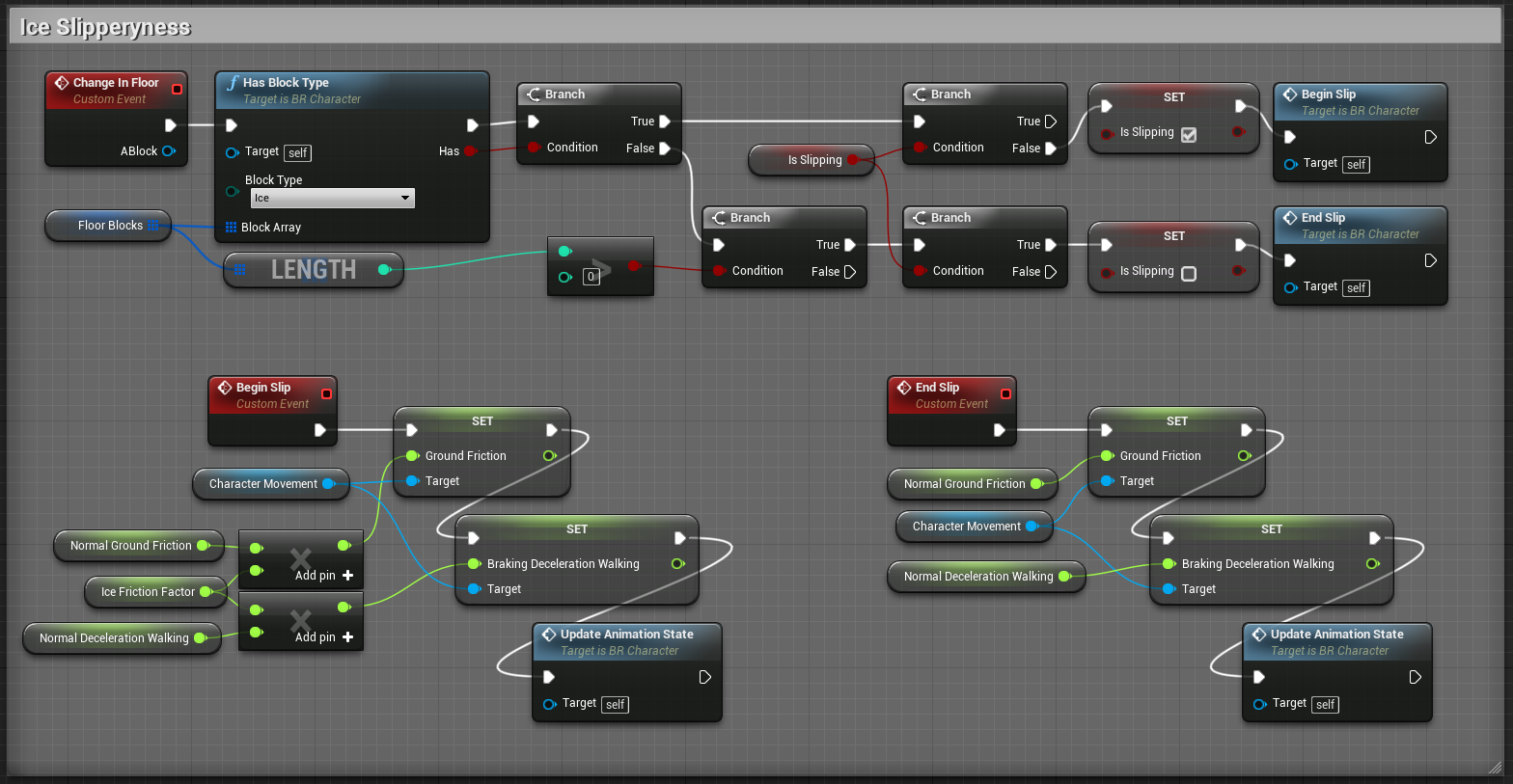
<p>The ability to <strong>move</strong> comfortably <strong>on</strong> otherwise <strong>frictionless ice</strong>. I wanted the character to maintain any velocity it had before stepping or falling onto ice. Howvwer, I also wanted the player to be able control the character a bit. Luckily, forces applied to the character for movement don’t require ground friction, but to make ice slippery and convincing, I still needed to modife movement controls when the character is on ice. Throughtout the game, the character controller keeps track of whether the character is standing on the ground, and which block/blocks are below the character.</p>

<h3 id="wall-slides">Wall slides</h3>
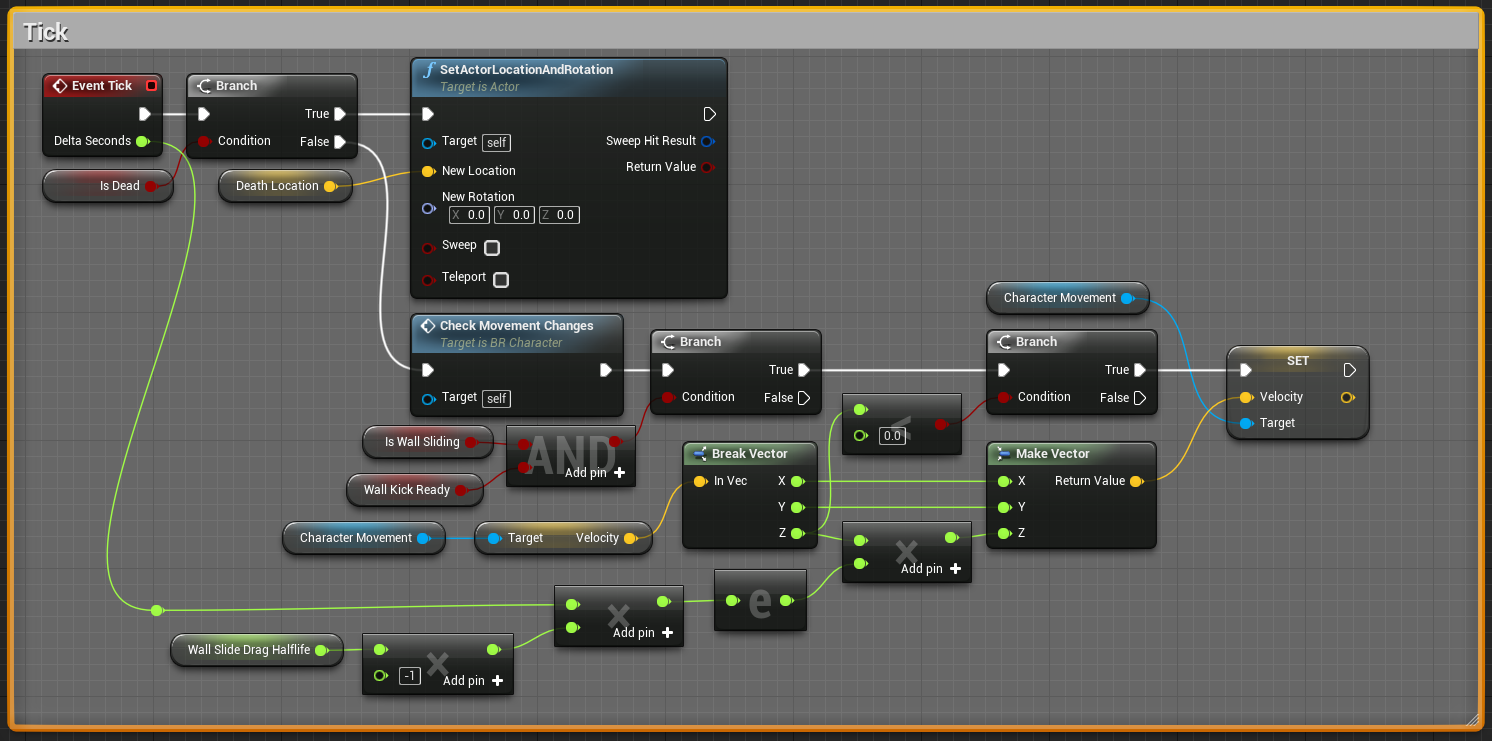
<p>The ability to grab onto and <strong>slide</strong> slowly <strong>down walls</strong> of most (but not all) block types. Similar to ground tracking, their are invisible collision volumes on the left and right side of the character. I keep track of whether the character is touching a wall-slidable material and if they are pressing left/right into it. When conditions are met, the player’s state is set to wall-sliding (right/left) and their falling speed is repeatedly dampened. I also enable a little spark emitter.</p>

<h3 id="wall-jumps">Wall jumps</h3>
<p>The ability to <strong>wall-jump</strong> away from walls the character is sliding on. This verb was pretty easy to implement one I had regular jumping and wall sliding. If the character is currently wall sliding and the player presses the jump button or tries to move away from the wall they are on, then a wall-jump is performed. This simply applies an impulse force to the character at an angle away from the wall.</p>

<p>Each of these “verbs” required some inventive work-arounds to put them in Unreal. In the end I think there are still a number of problems with the character’s responsiveness and the tightness of the controls, but I now know a little bit about dealing with these issues that I didn’t know then.</p>

<p><br /></p>
<h2 id="graphics">Graphics</h2>

<p>Using a game engine makes creating graphics for games a lot more fun than if you have to program them. I played with Unreal’s particle systems, post-processing effects, and sprite rendering with a very welcomed ease. Orignally, I made everything 2D, using the assets I had already created for the original game. Once things were working, however, I switched to 3D. My friend made me some simple texture-mapped block moddels and I made a cool-looking, minimalist background. The result is what you see in the video and rather I like it.</p>

<p><br /></p>
<h2 id="code">Code</h2>
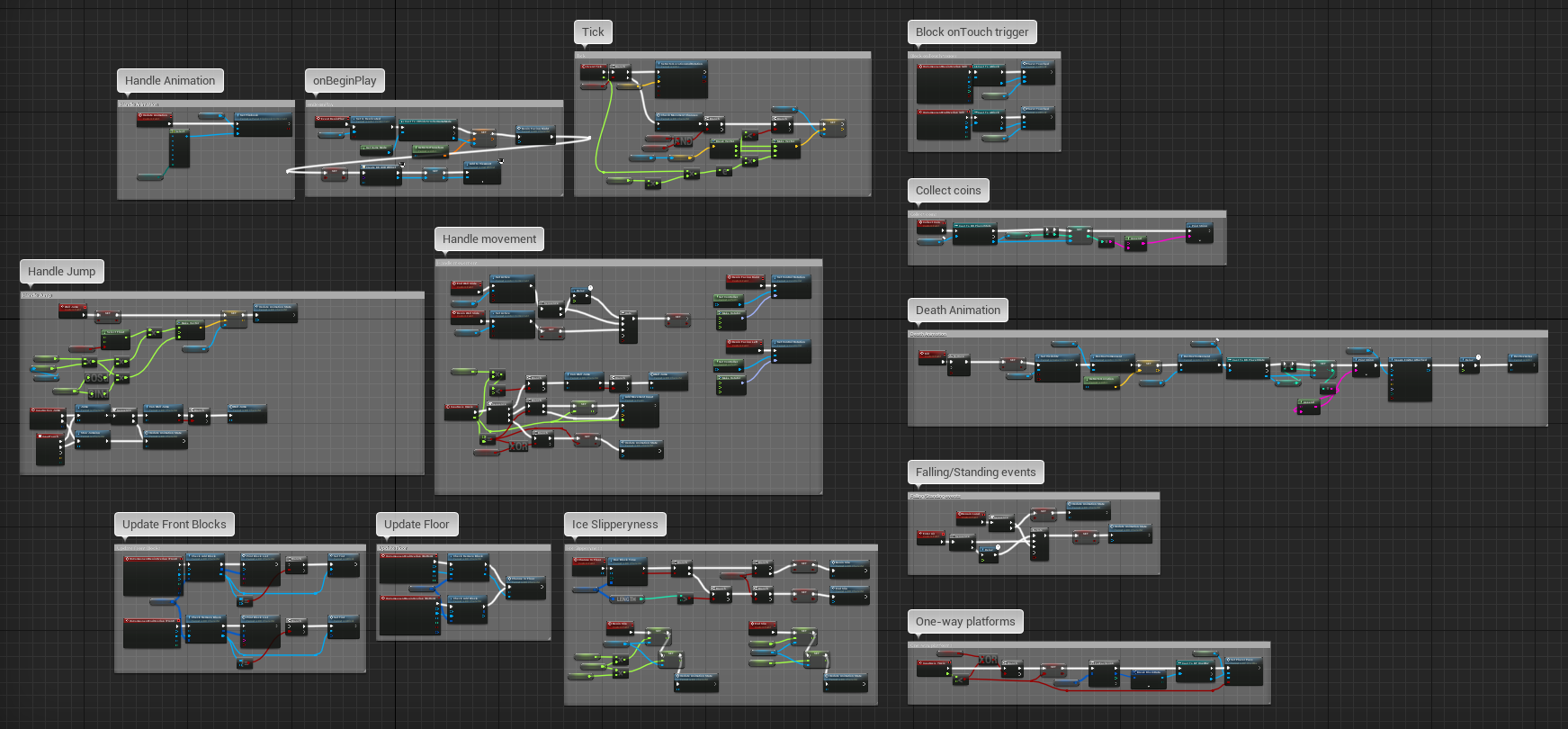
<p>I actually didn’t do any programming for this project. At least not what I’d normally call programming. The code for all blocks and the character was done using Unreal’s visual, node-based scripting. I could have used C++ just as well, but I was actually having a lot of fun with the node editor. Here are some “code” examples from the project:</p>

<h3 id="wall-sliding">Wall sliding:</h3>
<p><a class="image main" href="https://gpergrossi.com/images/block-runner/blueprint-br-character-tick.png"><img src="https://gpergrossi.com/images/block-runner/blueprint-br-character-tick.png" /></a></p>

<h3 id="ice-slipperiness">Ice slipperiness</h3>
<p><a class="image main" href="https://gpergrossi.com/images/block-runner/blueprint-br-character-ice-slip.png"><img src="https://gpergrossi.com/images/block-runner/blueprint-br-character-ice-slip.png" /></a></p>

<h3 id="full-character-controller-overview">Full character controller overview</h3>
<p><a class="image main" href="https://gpergrossi.com/images/block-runner/blueprint-br-character-all.png"><img src="https://gpergrossi.com/images/block-runner/blueprint-br-character-all.png" /></a></p>]]></content><author><name></name></author><summary type="html"><![CDATA[A game I made for practice in Unreal Engine 4.]]></summary><media:thumbnail xmlns:media="http://search.yahoo.com/mrss/" url="https://gpergrossi.com/images/block-runner/block-runner.png" /><media:content medium="image" url="https://gpergrossi.com/images/block-runner/block-runner.png" xmlns:media="http://search.yahoo.com/mrss/" /></entry><entry><title type="html">Block Runner</title><link href="https://gpergrossi.com/blog/block-runner/" rel="alternate" type="text/html" title="Block Runner" /><published>2018-03-16T00:00:00+00:00</published><updated>2018-03-16T00:00:00+00:00</updated><id>https://gpergrossi.com/blog/block-runner</id><content type="html" xml:base="https://gpergrossi.com/blog/block-runner/"><![CDATA[<h2 id="block-runner">Block Runner</h2>

<p>Block Runner is a platformer game that I worked on in my free time while in middle school. It was written in a programming language/environment called DarkBASIC Pro, which is a BASIC style language with graphics commands, file I/O, and input functions supplied as commands. The game’s most important feature was its level editor. There were 18 kinds of blocks with unique behavior that could be used to make interesting levels. Players could compose levels and share them via copying and pasting generated level-sharing codes. I posted Block Runner on TheGameCreator’s forums, which was the forum used by DarkBASIC Pro developers, and a few people downloaded the project and had some good things to say. Some created and shared levels on the forum too.</p>

<p><br /></p>
<h2 id="video">Video</h2>

<iframe width="640" height="360" src="https://www.youtube.com/embed/bGodnxki5uo" frameborder="0" allow="autoplay; encrypted-media" allowfullscreen=""></iframe>

<p><br /></p>
<h2 id="history">History</h2>

<p>Before I worked on Block Runner, there was a flash-based game I played called <a href="http://blockaction.net/?lang=en">Block Action</a>. I copied their art and most of their basic block types and then began creating my own. My version of the game, “Block Runner”, was really just a personal project to see if I could create such a game. The new block types I added were very different from the ones offered by Block Action and they played off of eachother surprisingly well. When people played my game, I made sure they knew it was a fan game varient of the real website’s game. I was pleased to have people interested in my work, but it felt weird, given that most of it wasn’t original. Nonetheless, Block Runner was a great learning experience.</p>

<p>As the project grew larger I began to see the limitations of DarkBASIC and started learning Java as a replacement. Block Runner’s code was all contained within a single file and it had no concept of object-oriented programming. DarkBASIC’s primary code structure was based on GOSUB, a command that basically jumps to another line of code while remembering the return line. As Block Runner reached and exceeded 3000 lines of code in a huge monolith of a source file, it became increasingly more time consuming to add new feautres, work out bugs, and create new block types. Having seen these limitations, I now have a great respect for code organization and just how much a good programming language can do to help.</p>

<p><br /></p>
<h2 id="code">Code</h2>
<p>You can find all of the original Dark BASIC code for this project on my github (<a href="https://github.com/gpergrossi/block-runner-dbpro">here</a>).<br />
You may be able to download the game and run it yourself if you have Windows 10.</p>]]></content><author><name></name></author><summary type="html"><![CDATA[The original version of Block Runner.]]></summary><media:thumbnail xmlns:media="http://search.yahoo.com/mrss/" url="https://gpergrossi.com/images/block-runner/block-runner-dbpro.png" /><media:content medium="image" url="https://gpergrossi.com/images/block-runner/block-runner-dbpro.png" xmlns:media="http://search.yahoo.com/mrss/" /></entry><entry><title type="html">Balls of War</title><link href="https://gpergrossi.com/blog/balls-of-war/" rel="alternate" type="text/html" title="Balls of War" /><published>2018-03-15T00:00:00+00:00</published><updated>2018-03-15T00:00:00+00:00</updated><id>https://gpergrossi.com/blog/balls-of-war</id><content type="html" xml:base="https://gpergrossi.com/blog/balls-of-war/"><![CDATA[<h2 id="history">History</h2>

<p>A long, long time ago I was trying to kill some time and simultaneously convince my little brother that programming was cool and fun. Well, I can’t remember exactly why he sat still for me to code this project up, but I think he did. I started with some circles on screen that could shoot at eachother. Each circle could shoot within a 15 degree arc and hopefully hit their target. That’s all they could do. After a certain number of hits, a circle would be eliminated. There were only two teams at the time: red and blue. We ran the simulation over and over rooting for whichever team looked like it was doing the best.</p>

<p>The first version of the code I whipped up was written in “DarkBASIC”, which is a procedural language similar to BASIC that was provided along with an IDE by <a href="https://www.thegamecreators.com/">TheGameCreators</a> way back in the day (at least it feels like a life time ago). DarkBASIC is the formative experience that got me into programming and directed my interests toward 2D and 3D programming. I’ve written about it more in another blog post.</p>

<p><br /></p>
<h2 id="video">Video</h2>

<iframe width="640" height="360" src="https://www.youtube.com/embed/Ue8HUMNFBOA?start=54" frameborder="0" allow="autoplay; encrypted-media" allowfullscreen=""></iframe>

<p>This is a video of the most recent version of what I titled “Balls of War”. I timestamped it to start at 54 seconds because I definitely didn’t put too much effort into recording this back when I did.</p>

<p><br /></p>
<h2 id="evolution-of-balls-of-war">Evolution of Balls of War</h2>

<p>Like many of my projects, the scope of this one grew much faster than I could keep up with. I kept inventing new stats for my units, which required new systems and so much code refactoring that the <a href="https://en.wikipedia.org/wiki/Ship_of_Theseus">Ship of Theseus</a> comes to mind. Eventually, I added a team editor with a “<em>state-of-the-art</em>” interface for picking stats and pitting different teams (up to 8) against eachother.</p>

<h3 id="unit-stats">Unit Stats</h3>

<ul>
  <li><strong>Health</strong> - How much damage the unit can take befor it is eliminated</li>
  <li><strong>Vitality</strong> - How fast the unit regenerates health over time</li>
  <li><strong>Strength</strong> - How much damage bullets shot by this unit inflict on other units that get hit</li>
  <li><strong>Agility</strong> - How fast the unit moves away from the nearest bullet (so they dodge some bullets)</li>
  <li><strong>Speed</strong> - How many shots the unit fires per some unit of time (5 seconds, I think)</li>
  <li><strong>Spread</strong> - The number of degrees of the arc in which the unit’s bullets are randomly fired</li>
  <li><strong>Multishot</strong> - The number of bullets a unit shoots at a time (evenly spaced across firing arc)</li>
  <li><strong>Weapon Type</strong> - Which type of bullet the unit fires</li>
</ul>

<h3 id="weapon-types">Weapon Types</h3>
<ul>
  <li><strong>Normal</strong> - Bullets fire in a straight line and disappear after hitting a target ( or leaving the field)</li>
  <li><strong>Orbital</strong> - Bullets track the target at which they were originally aimed and whirlpool inward on them</li>
  <li><strong>Gravitational</strong> - Bullets continuously evaluate the nearest target and are attracted toward that target</li>
  <li><strong>Fractal</strong> - Bullets travel a short distance and then split in two and then continue to do this (very OP)</li>
  <li><strong>Piercing</strong> - Similar to normal bullets but they keep going after hitting their first target</li>
</ul>

<p>My favorite type <strong>by far</strong> is the gravitational one. I initially had them gravitate toward <em>all</em> available targets, but
that ended up being computationally heavy and didn’t look as good as choose-the-nearest.</p>

<p><br /></p>
<h2 id="code">Code</h2>

<p>The code for this project is available on my github (<a href="https://github.com/gpergrossi/balls-of-war">here</a>). This project is <strong>old</strong>. I made it in high school and I have since improved my programming abilities quite a bit. All things considered, it’s pretty impressive though.</p>]]></content><author><name></name></author><summary type="html"><![CDATA[A simulation with a little AI and a lot of bullets.]]></summary><media:thumbnail xmlns:media="http://search.yahoo.com/mrss/" url="https://gpergrossi.com/images/balls-of-war.png" /><media:content medium="image" url="https://gpergrossi.com/images/balls-of-war.png" xmlns:media="http://search.yahoo.com/mrss/" /></entry><entry><title type="html">How I Started Programming</title><link href="https://gpergrossi.com/blog/how-I-started-programming/" rel="alternate" type="text/html" title="How I Started Programming" /><published>2018-03-15T00:00:00+00:00</published><updated>2018-03-15T00:00:00+00:00</updated><id>https://gpergrossi.com/blog/how-I-started-programming</id><content type="html" xml:base="https://gpergrossi.com/blog/how-I-started-programming/"><![CDATA[<center>Pictured: Learn to Program BASIC, DarkBASIC, Java, Python, C, C#, C++, Unity, Unreal, and HTML5/CSS/JavaScript<br />
Not Pictured: Assembly, Haskell, Lua, Clojure, and others</center>
<p><br /></p>

<h2 id="overview">Overview</h2>

<p>The image for this post pretty much sums up the order of things. I started really young, programming text-based and 2D games, and I essentially just kept seeking better languages. You can skip the rest of this section if you don’t care about my life story, but I felt like writing it so here it is:</p>

<h3 id="learn-to-program-basic">Learn to Program BASIC</h3>

<p>When I was really young (2nd grade?) my older brother brought home Learn to Program BASIC from Interplay, which he had bought from the middle school book fair. The program featured a number of video tutorials that were over-the-top whacky to the point of being too ridiculous to use these days. Nonetheless, it was effective and it ended up teaching me to program pretty quickly.</p>

<h3 id="dark-basic-pro">Dark BASIC Pro</h3>

<p>At some point (I’m going to guess 4th grade), I switched to DarkBASIC Pro from TheGameCreators. At the time I saw this as a huge upgrade because DarkBASIC did not have 100 line source limit and it came with 3D graphics and a list of features that pretty much blew my mind.</p>

<p>DarkBASIC was my one and only pass-time for many years. I became a certified lurker on TheGameCreators forums, where I downloaded cool games other people had made. Most of the time I read their source code for tips and tutorials. Sometimes I edited the games myself. I learned so much about 2D and 3D graphics, video game math, and programming from the members of that community.</p>

<p>Unfortunately, DarkBASIC is sort of dead now. They’ve released the editor and libraries completely open source on <a href="https://github.com/TheGameCreators/Dark-Basic-Pro">github</a>, but even when I do manage to compile my old programs, they don’t run with any sort of speed on modern versions of Windows.</p>

<h3 id="java">Java</h3>

<p>My next big upgrade was Java. The same older brother that brought me Learn to Program BASIC ended up teaching me Java. He and I stayed at our grandparents’ house for a few weeks, during which I struggled with this new concept of object-oriented programming. Coming from DarkBASIC - where you start writing code at the top of your source file and it all just runs - I was frustrated that everything had to be in classes and methods. I hated having to memorize <code class="language-plaintext highlighter-rouge">public static void main(String[] args) {}</code>. I met Java with some resistance but what kept me going was that it was blazing fast (yep). Compared to Dark BASIC the same sort of programs in Java would run more than 10 times as quickly.</p>

<p>After switching almost entirely to Java by the end of my sophomore year of high school, I missed having access to 3D graphics. I spent most of my junior year exploring OpenGL through a Java library called LWJGL. While I did have fun learning the deepest darkest secrets of 3D programming, I will definitely admit that anyone interested in 3D should just go to Unity or Unreal engine.</p>

<h3 id="university">University</h3>

<p>It wasn’t until I got to college that I took a real programming class. Going into college I chose Computer Engineering over Software Engineering because I was afraid I would be pretty bored with programming classes. Obviously Computer Engineering had programming too, but it was mostly Operating Systems programming, which was more about Unix than it was about learning to code. I picked up on some new languages, data-structures, and algorithms and my code quality improved a lot, though I attribute that last one to my hobbies, not my classes.</p>

<p><br /></p>
<h2 id="advice">Advice</h2>

<p>In making this post I felt I should try to share some kind of wisdom about my experience with learning to code. The thing is, I’ve tried teaching people to program before and I’m not very good at it. If I had one piece of advice for learning to code it would be this:</p>

<p>If you want to learn programming, you need to have passion for it.</p>

<p>I’m not saying you can’t learn if you aren’t in love with programming, but pick something to program that you really enjoy. Don’t let your motivation be to get a job or because programming pays well, unless those things are very motivational to you.</p>

<h3 id="game-programming">Game Programming</h3>

<p>The thing that kept me interested in coding was games development and I honestly recommend game programming to everybody. It’s visual and exciting, fairly simple to code, and you can just keep adding features incrementally. It ends up being kind of exciting when you run your program and whatever you just added is there, <em>visually</em>. It’s even more exciting when your friends or family play your games and like them. A <strong>lot</strong> goes into game programming; You can focus on whichever aspect of the game interests you the most: AI, sound/music, 2d/pixel art, 3D modelling, graphical effects, game design, level design, etc. It helps a lot for motivation if you like playing the things you make.</p>

<h3 id="tutorials">Tutorials</h3>

<p>If you want to get into game programming, I suggest you learn javascript. There are lots of tutorials online. Here are my recommended steps:</p>

<ol>
  <li>
    <p>If you’re really new, check out <a href="https://www.khanacademy.org/">Khan Academy</a>. They’ll teach you programming basics that apply to all programming languages. You can also check out <a href="https://www.codecademy.com/">Code-cademy</a>, though they want your money and I haven’t personally tried out their classes. They have courses aimed at various languages including Javascript.</p>
  </li>
  <li>
    <p>Next, Download <a href="https://processing.org/">Processing</a>. It lets you develop games and simulations (or whatever you want) using a variety of languages (including javascript) and it keeps things nice and simple.</p>
  </li>
  <li>
    <p>Now, direct all of your love and attention at <a href="http://learningprocessing.com/videos/">Daniel Shiffman</a>. He’s very high energy. If that’s a problem for you, get over it; His content is thorough and informative and I personally think it’s entertaining too.</p>
  </li>
  <li>
    <p>That’s pretty much it. You can choose to learn from whatever resources you find online. Processing itself has some pretty good documentation if you’re stuck. Learn by examples as much as possible. Find code, play with it, make modifications, and absorb its knowledge.</p>
  </li>
</ol>

<p><br /></p>
<h2 id="code-style">Code Style</h2>
<p>One last note: there is something called “code style” and it is extremely important. You need to keep formatting in mind when writing good code. The most important thing to remember is that not everyone reading your code will have the slightest idea what you were thinking when you wrote it. That person could even be you, when you come back to an old project with no comments and bad organization and wonder “Wow, what was I <em>doing</em>?”.</p>

<p>To prevent confusion for yourself and others, I strongly recommend you learn how to comment your code properly. Code comments describe a little bit about what you’re doing when your code is less than obvious about it. They let you make notes to yourself and others.</p>

<p>If you can manage it, it’s also a good idea to keep your code well organized and use descriptive names for variables, classes, and methods. Make sure your methods and classes are specific and deal with only one concept and try your absolute hardest not to repeat yourself (if you’re writing the same code more than once or copy-pasting, there is probably a way to create a new method and re-use code).</p>

<p>Really well organized code is self-documenting, meaning that it is easier to understand and needs a lot fewer comments. This is good because fewer comments means shorter code, and shorter code is easier to read. That said, you should still comment anything that is not perfectly clear just by reading the code. Keep in mind that ‘perfectly clear’ may vary from person to person.</p>

<p>Finally, be <em>consistent</em> with you code formatting and just be aware that code style exists. There are style guides for different languages/organizations (e.g. the <a href="https://google.github.io/styleguide/javaguide.html">Google Java Style Guide</a>).
I’ve seen a lot of code while working as a TA for programming classes that would be a lot easier to understand and debug if it was properly formatted. Here are some examples of what I mean:</p>

<h3 id="capitalization">Capitalization</h3>
<p>Every language has recommended capitalization for different types of identifiers (things the programmer gets to name). Make sure you’re using the right capitalization. These are the basic types:</p>

<ul>
  <li>UpperCamelCase</li>
  <li>lowerCamelCase</li>
  <li>underscores_separating_words</li>
  <li>FULL_CAPS</li>
</ul>

<p>These capitalizations apply to different things in different languages. In Java - for example - lowerCamelCase is used for variables and methods, UpperCamelCase is used for class names, FULL_CAPS is used for constants. These are not required for Java to compile your code, but it is very important to follow the standards.</p>

<h3 id="indentation">Indentation</h3>
<p>This is a big one. Almost every language uses indentation rules to make code more readable. Python actually <em>requires</em> specific indentaion. Here’s a C-like example:</p>

<div class="language-plaintext highlighter-rouge"><div class="highlight"><pre class="highlight"><code>                          ↓ this brace is sometimes placed on the next line
  if (whatever condition) {
      // the stuff in here absolutely must be indented
      // and it should all be indented by the same amount
  } 
  ↑ this brace is the same indentation as the start of the if statement
</code></pre></div></div>

<h3 id="whitespace">Whitespace</h3>
<p>Lastly, where and how you use whitespace is important. Sometimes the style guide will tell you how to use whitespace, such as when to use new-lines, how to indent things, and whether or not to put spaces between operators/comma-separated items.
The general idea behind good use of whitespace is to make your code easier to look at and hopefully easier to understand. Here is an example:</p>

<div class="language-plaintext highlighter-rouge"><div class="highlight"><pre class="highlight"><code>  void exampleMethod() {

      if (conditions) {
        // some stuff
        // more stuff
      }

      // logically similar lines of code:
      StringBuilder sb = new StringBuilder();
      sb.append("Hello").append(' ').append("World").append('!');

      System.out.println(sb.toString());

  }
</code></pre></div></div>

<p>In this example I am showing my preferred style, which is to put empty lines at the start and end of a method body. I keep the opening curly brace ({) at the end of almost every code line that opens it because I think it looks nicer. I also group logically related statements together and put whitespace between those logical groupings</p>]]></content><author><name></name></author><summary type="html"><![CDATA[A brief history of my coding endeavors.]]></summary><media:thumbnail xmlns:media="http://search.yahoo.com/mrss/" url="https://gpergrossi.com/images/program-path.png" /><media:content medium="image" url="https://gpergrossi.com/images/program-path.png" xmlns:media="http://search.yahoo.com/mrss/" /></entry><entry><title type="html">Aerogen Overview</title><link href="https://gpergrossi.com/blog/aerogen-overview/" rel="alternate" type="text/html" title="Aerogen Overview" /><published>2018-03-14T00:00:00+00:00</published><updated>2018-03-14T00:00:00+00:00</updated><id>https://gpergrossi.com/blog/aerogen-overview</id><content type="html" xml:base="https://gpergrossi.com/blog/aerogen-overview/"><![CDATA[<h2 id="what-is-aerogen-mod">What is Aerogen mod?</h2>

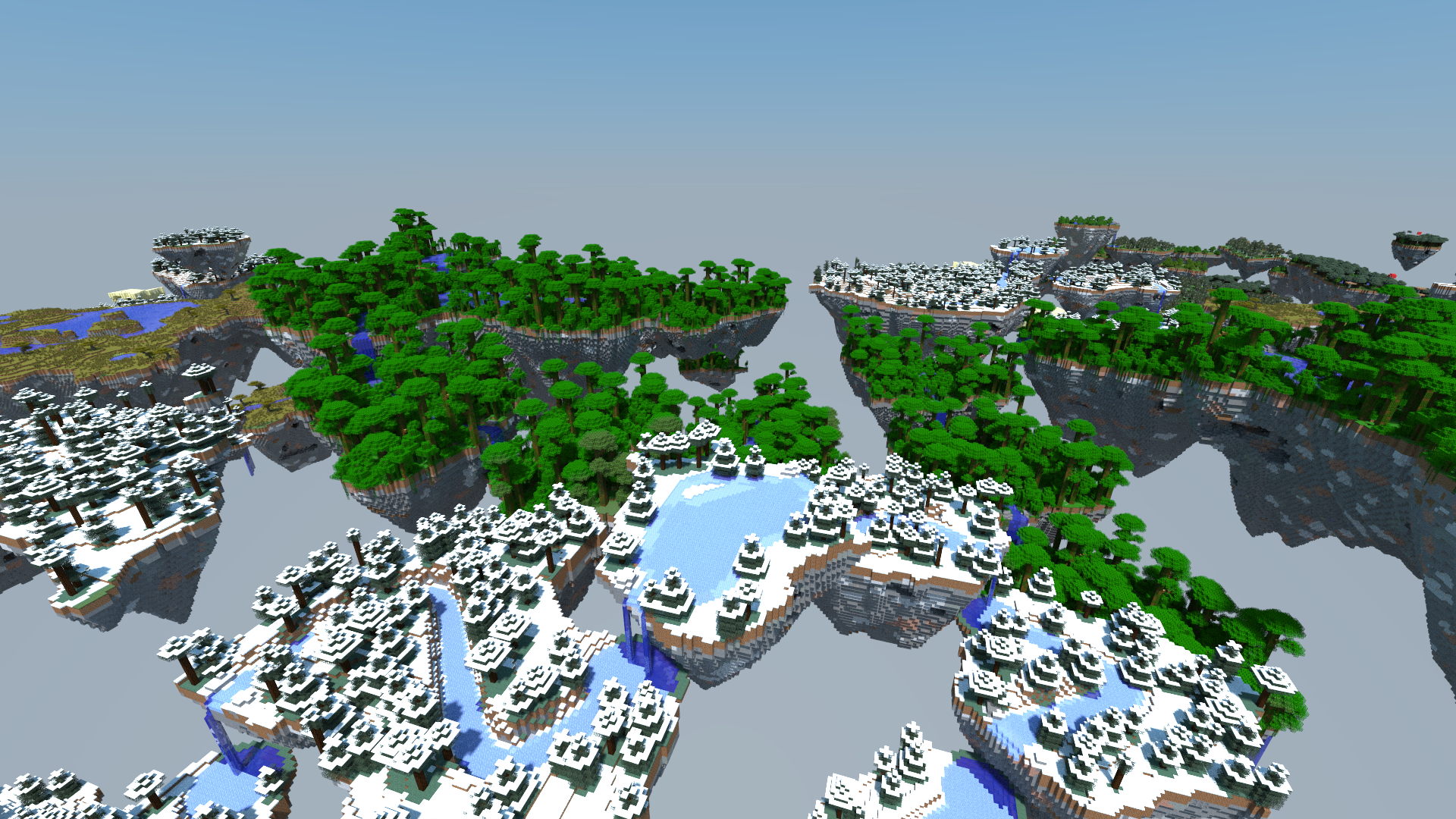
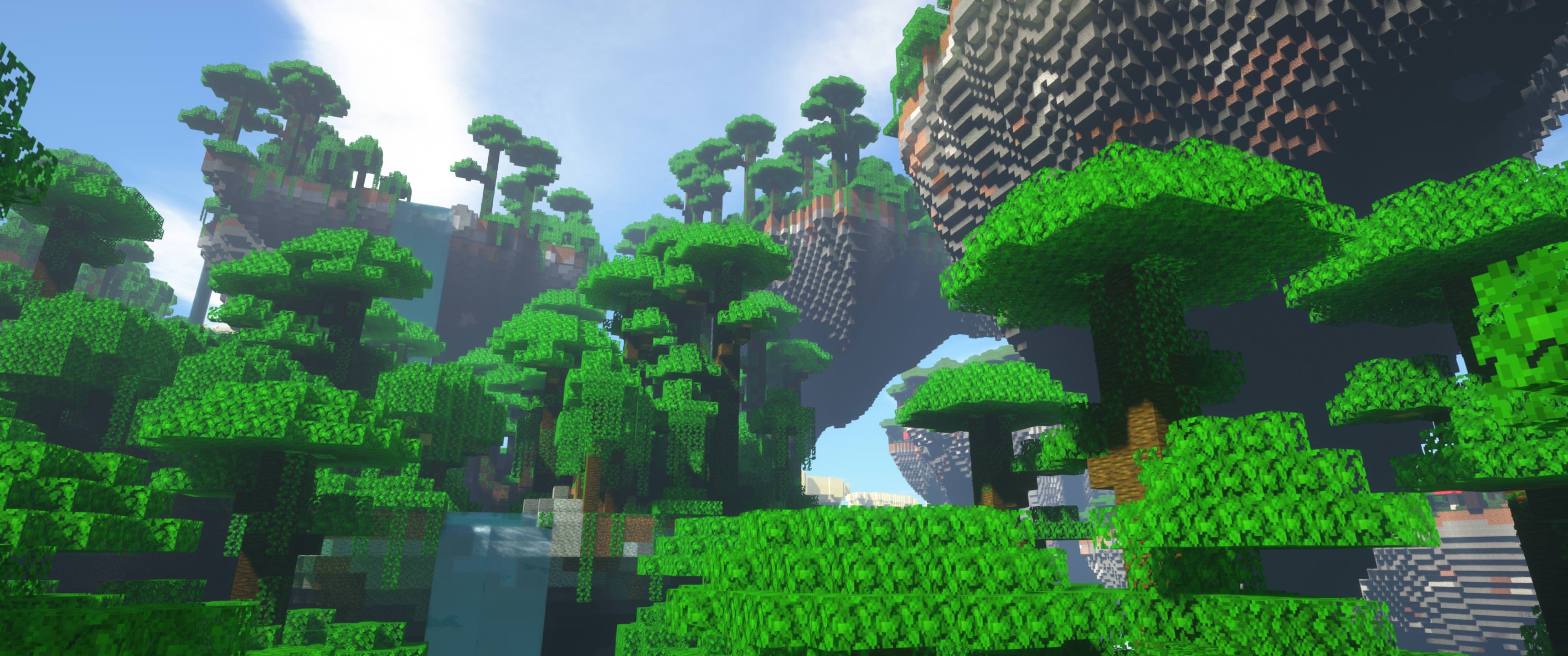
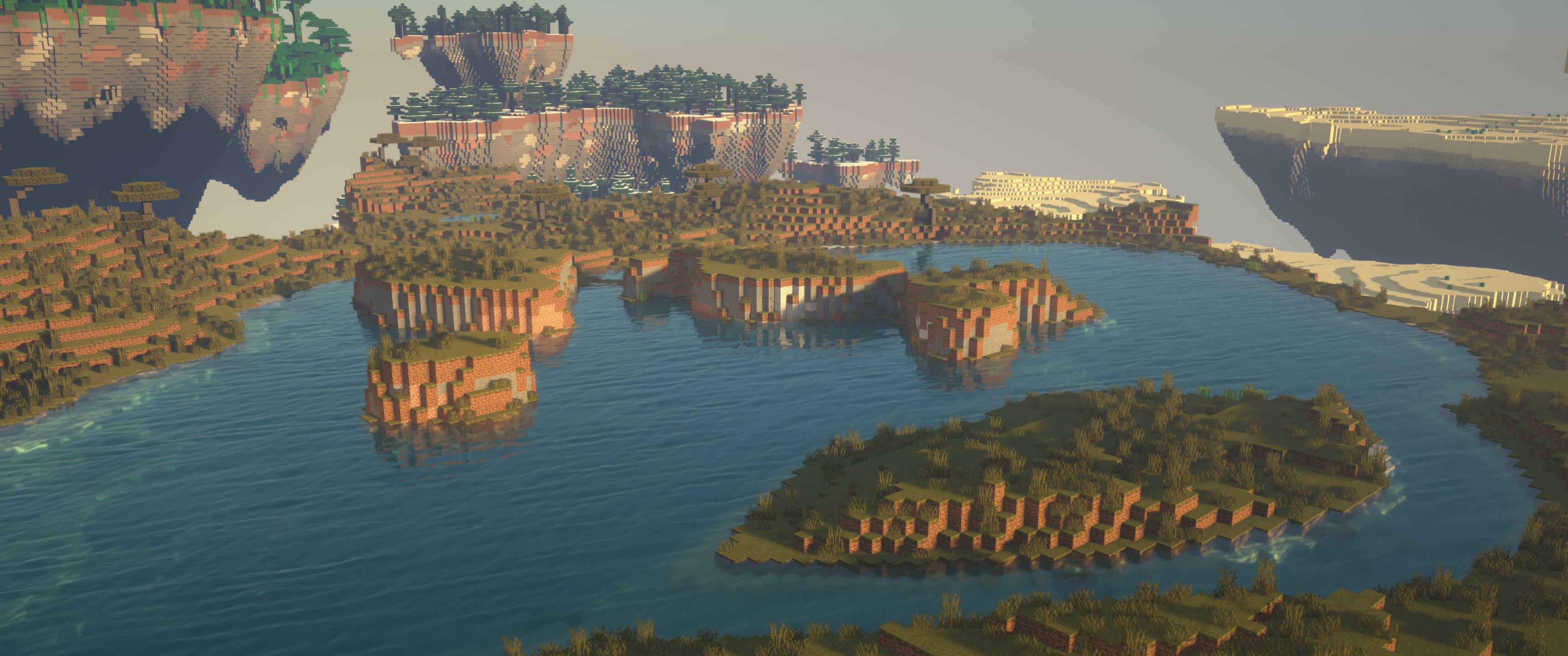
<p><em>Aerogen</em> is a mod for the popular creative sandbox game <em>Minecraft</em>. A normal <em>Minecraft</em> world is made up of oceans and land with a variety of <em>biomes</em>. Different biomes have different features, such as mountains, trees, rivers, ponds, hills, etc. Players can find enjoyment from exploring the pseudo-randomly generated world, which is - for all intents and purposes - infinitely large on the PC version of the game.</p>

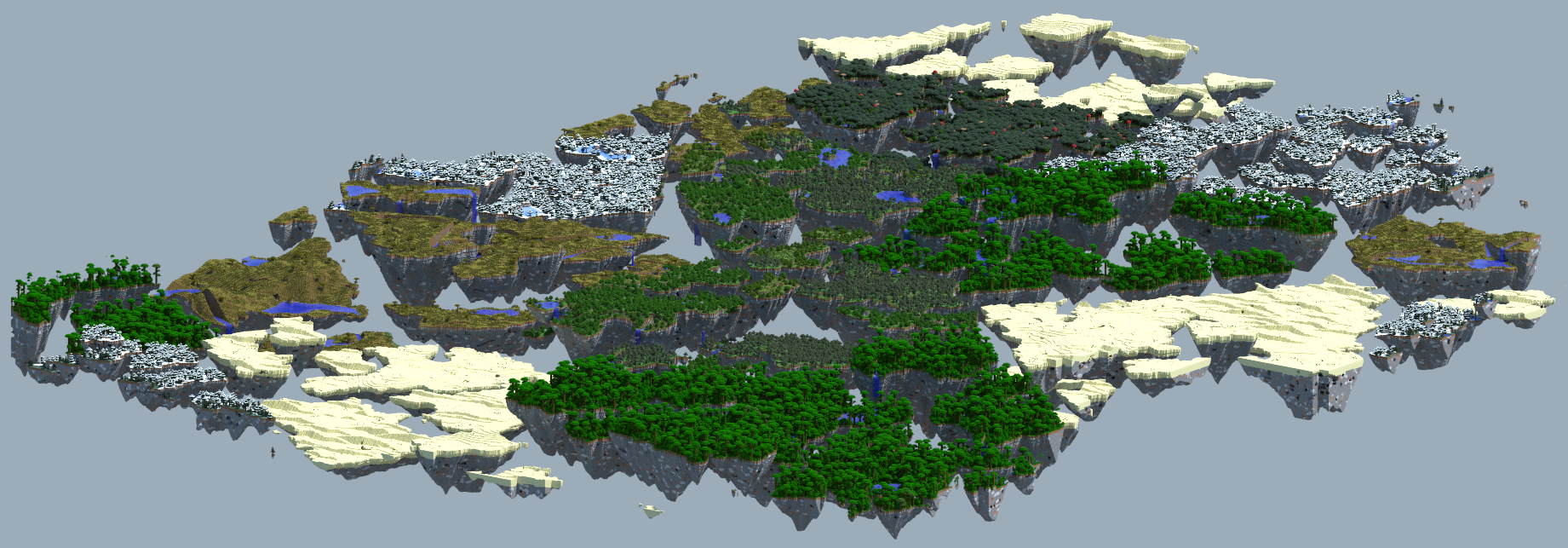
<p><em>Aerogen</em> mod is a plugin I am writing for the game that provides an alternative world generator. My custom generator populates an infinite-ish world of floating island (masses of land suspended in the sky). Each island has its own unique features and belongs to a region, which is similar to <em>Minecraft</em>’s biomes.</p>

<p><br /></p>
<h2 id="why-develop-a-mod-for-minecraft">Why develop a mod for Minecraft?</h2>

<p>Some might wonder why I spend my time making a mod for Minecraft. Without addressing the issue of whether or not Minecraft (or games in general) are worth playing, let me tell you why Minecraft is a <strong>wonderful</strong> enviroment for developing a procedural world generator and visualizing the results in 3D.</p>

<p>Minecraft worlds are reasonably simple to generate. The world is set on a perfect 3D grid with an in-game size comparable to 1 meter. The world is VERY large in the X and Z dimensions, and up to 256 “meters” high in the Y dimension. Each block has a type (e.g. Stone, Dirt, Grass, Logs, Leaves, Water, etc.) and sometimes a small amount of data. This means that generating a world for <em>Minecraft</em> amounts to writing a routine that can produce an arrays of block types and optional data.</p>

<p>Once the world is generated, you can load up the game and run, jump, and fly through your code’s creations to see experience whatever you managed to produce. Minecraft even has a VR mod which allows headset owners to see the Minecraft world in a very large and immersive way.</p>

<p>So, why Minecraft? Because I love procedural generation and using an existing game is a lot easier than re-inventing the many wheels of <em>Minecraft</em>’s game engine. I also happen to like playing Minecraft.</p>

<p><br /></p>
<h2 id="published">Published</h2>
<p>I published an older version of my generator on the bukkit forms (<a href="https://dev.bukkit.org/projects/aerogen">here</a>). I’m pretty happy that it got around 8,000 downloads without any advertising. I am now working on the newest version because I wasn’t happy with the original. Currently, the new version is a bit of a secret and isn’t published.</p>

<p><br /></p>
<h2 id="sample-images">Sample Images</h2>

<p><img class="image main" src="https://gpergrossi.com/images/aerogen/chunky-1.png" />
<img class="image main" src="https://gpergrossi.com/images/aerogen/chunky-2.png" />
<img class="image main" src="https://gpergrossi.com/images/aerogen/underside.jpg" />
<img class="image main" src="https://gpergrossi.com/images/aerogen/jungle.jpg" />
<img class="image main" src="https://gpergrossi.com/images/aerogen/chunky-3.jpg" /></p>

<h2 id="development">Development</h2>

<p>Developing this island generator has been a very fun and challenging task. To give an idea of what I’m dealing with here’s a short list of issues that have arisen while developing and how I solved them:</p>

<ol>
  <li>If any islands overlap vertically, they cast huge dark shadows on eachother.
    <ul>
      <li>Solution: Islands are generated using cells from a voronoi diagram, which prevents overlap.</li>
    </ul>
  </li>
  <li>Every island needs to be uniquely generated and always produce the same result given the same seed.
    <ul>
      <li>Solution: All random operations in island operation are seeded pseudo-random. Individual cells are given seeds based on the a hashing algorithm applied to the world’s “golbal” seed value and the coordinates of the cell center.</li>
    </ul>
  </li>
  <li>Islands need to look somewhat natural. I will have a concept in mind of how they should look, but then I need to design procedures that make those ideas come to life.
    <ul>
      <li>Solution: Island shapes use some pretty cool procedures I’ve invented, combining Fractal Simplex Noise, Distance Transforms, and arbitrary <em>generated feature</em> placement.</li>
    </ul>
  </li>
  <li>My code needs to be fast enough that players can explore their infinite world without stalling the server.
    <ul>
      <li>Solution: I have been moving my code over to a custom multi-threading task system. I can now specify procedures that need to be executed for each island or region. These procedures can even have prerequisites which are handled by the task manager and pre-empted over the current procedure depending on available threads.</li>
    </ul>
  </li>
  <li>I wanted to have rivers flowing through regions and waterfall-ing from one island to another.
    <ul>
      <li>Solution: When regions generate, they create a list of cells and then assign clumps of those cells to individual islands. Rivers and other inter-island features then generate and assign altitude constraints to a constraint system. Using these constraints, island’s are given an altitude and then populated with necessary features, such as waterfalls and basins.</li>
    </ul>
  </li>
</ol>

<h2 id="more-detail">More detail</h2>

<p>I will be writing detailed posts on significant aspects of Aerogen mod’s development. This project deserves a lot more documentation than one post should reasonably cover. I will keep posts about this project somewhat short and on a specific topic. When those posts are finished, I will link to them here and create a table of contents.</p>]]></content><author><name></name></author><summary type="html"><![CDATA[An overview of development for 'Aerogen'.]]></summary><media:thumbnail xmlns:media="http://search.yahoo.com/mrss/" url="https://gpergrossi.com/images/aerogen/aerogen.png" /><media:content medium="image" url="https://gpergrossi.com/images/aerogen/aerogen.png" xmlns:media="http://search.yahoo.com/mrss/" /></entry><entry><title type="html">Heuristic Tetris Bot</title><link href="https://gpergrossi.com/blog/heuristic-tetris-bot/" rel="alternate" type="text/html" title="Heuristic Tetris Bot" /><published>2018-03-14T00:00:00+00:00</published><updated>2018-03-14T00:00:00+00:00</updated><id>https://gpergrossi.com/blog/heuristic-tetris-bot</id><content type="html" xml:base="https://gpergrossi.com/blog/heuristic-tetris-bot/"><![CDATA[<h2 id="motivation">Motivation</h2>

<p>I wrote this particular program back in sophomore year of high school. All my friends were playing Tetris Friends on facebook and bragging about how good they were. It was a pretty fun time, only I wasn’t very good. Given that I knew how to code quite well and that I had already worked on a number of botting projects before, the idea to make a tetris bot came pretty naturally.</p>

<h2 id="what-is-a-heuristic-ai">What is a Heuristic AI?</h2>

<p>A heurisitic AI is an <em>artificial intelligence</em> (AI) based on <em>heuristics</em>. Those heuristics are specifically coded concepts telling the AI what it should do in given situations. It seems the more I learn about AI, the less impressive my Tetris bot feels. We have companies like Deep Mind making algorithms that actually <em>learn</em> to do tasks instead of being programmed to do them. Sure, I had only the slightest awareness of neural networks when I coded this up, but ever since I finished this Tetris bot, I’ve wanted to rework it using machine learning.</p>

<p>In comparision, what my Tetris bot does isn’t <em>“intelligent”</em> at all. It simply compares scores for all possible placements of the currently available piece and picks the best one. The scoring is all hard-coded based on some rules (heuristics) I came up with while playing tetris myself. If you watch the video you can see the bot making the same sort of choices (and mistakes) that I would make. The difference, of course, is that the bot is <em>way</em> faster.</p>

<p><br /></p>
<h2 id="video">Video</h2>

<iframe width="640" height="360" src="https://www.youtube.com/embed/dOYkOc2Mgoc" frameborder="0" allow="autoplay; encrypted-media" allowfullscreen=""></iframe>

<p>Here is a video of my bot (on the right) playing againt me (on the left).</p>

<p><br /></p>
<h2 id="tetris-friends">Tetris Friends</h2>

<p>The video above shows the bot running in my Tetris environment. I ended up writing my own Tetris implementation and a sort of Tetris API so that the AI could move as fast as my CPU would allow.</p>

<p>However, the original goal was to get this bot to beat people on Tetris Friends. The bot did, in fact, play on Tetris Friends for me and it did pretty well (a lot better than anyone I knew). Still, other humans (bots?) at the very highest ranks did win against it. My bot had some problems with scanning the screen and identifying the board state. Its input system expected certain colors of pixels in a certain layout on screen. Unfortunately, Tetris Friends had all sorts of animations and visual effects that interfered with those assumptions. For example, when the opponent cleared rows and sent them over to the bot’s board, the sudden change in board state would delay the bot’s next actions. Making that delay worse, my bot also had to wait after each key it pressed to see if/when the key actually registered. This slow response checking loop combined with the interference from visual effects limited my bots ability to play quite a bit and allowed other players to beat it.</p>

<p><br /></p>
<h2 id="code">Code</h2>

<p>All of the source code is available on my GitHub tetris-ai repository (<a href="https://github.com/gpergrossi/tetris-ai">link</a>). I offer a pretty simple explanation of how it works in the repository’s readme, which I will reproduce here:</p>

<h3 id="algorithm">Algorithm</h3>

<p>The algorithm is very simple, it uses a score-based approach with a small number of parameters. I designed it to play the way I do, which is apparently alright. The scoring code is in TetrisBot.calculateBoardScore(). In order to decide on the next move, the AI scores all valid placements of the current piece or the piece that can be swapped from the hold position.</p>

<p>Scoring is based on the following ideas:</p>
<ul>
  <li>Clearing lines is good</li>
  <li>Clearing tetrises is even better (4 lines at once)</li>
  <li>It is possible to eliminate the entire piece being placed by clearing lines, and that is a wonderful move if available</li>
  <li>Pieces should be placed so that they share as many edges as possible with the current stack.</li>
  <li>Placing pieces near walls is a good thing too</li>
  <li>Piece placement should prefer lower positions on the stack</li>
  <li>It is very bad to place a piece so that it creates a “shadow”</li>
  <li>Likewise, it is bad to cover up bubbles in the stack below the newly placed piece. (Doing so makes it harder to access and break the lines containing these bubbles)</li>
  <li>Leaving “cliffs” of greater than 1 tile next to the newly placed piece is bad, as it creates a need for an L, J, or I piece.</li>
</ul>

<p>All of the above heuristics came from my own observations as I played. The numerical weights to each of these heuristics came from experimentation. The heuristics also adjust automatically between a few presets subject to a the following conditions.</p>

<h3 id="additional-conditions">Additional Conditions</h3>

<ul>
  <li>If the stack is relatively short, the bot avoids placing pieces in the left-most column, this helps to build up possible tetrises.</li>
  <li>If there are a large number of bubbles in the stack, shadows become even more penalized and row clears gain a great significance. This change allows the AI to try to clear some of the excessive number of bubbles.</li>
  <li>If the stack height is too large and a tetris score is not coming soon (I piece in the next 5 pieces), then the AI stops prioritizing tetris scores and works to clear as many lines as possible.</li>
</ul>]]></content><author><name></name></author><summary type="html"><![CDATA[A heuristic AI I wrote to beat my friends at tetris.]]></summary><media:thumbnail xmlns:media="http://search.yahoo.com/mrss/" url="https://gpergrossi.com/images/tetris-bot.png" /><media:content medium="image" url="https://gpergrossi.com/images/tetris-bot.png" xmlns:media="http://search.yahoo.com/mrss/" /></entry></feed>